
Login OExch9
Username👤 Password🔑 Login Login with demo IDThis site is protected by reCAPTCHA and the Google Privacy Policy and Terms of Service apply.
OExch9 Demo ID — One Button Under Login Opens the Whole Site With Pretend Money
The second button on the OExch9 sign-in card, Login with demo ID, opens the real match list, the real casino lobby and the real account menu with a practice balance. No username, no deposit and no chat with the desk come first, which makes it the easiest way to see OExch9 before asking for an account.
What is an OExch9 demo ID? An OExch9 demo ID is the free practice mode opened by tapping Login with demo ID on the OExch9 sign-in card. It shows the same dashboard, cricket markets and casino tables as a funded account, using a pretend balance. Nothing can be deposited or withdrawn, and nothing you do in demo carries over to a real OExch9 ID.
How to open the OExch9 demo ID in one tap
There is no separate demo page and no demo request to make. The button lives on the same OExch9 card everyone uses, whether you reach it in a browser or inside the Android app.
- Open the working OExch9 address, or the OExch9 app if you already installed it.
- Wait until the card shows the Username and Password rows, both buttons and the reCAPTCHA line.
- Leave both rows empty and tap Login with demo ID.
- The OExch9 dashboard opens with a practice balance where your username would normally sit.
That is the entire process. If the demo button does nothing, a script blocker is usually stopping the reCAPTCHA check on the card; allow scripts for the OExch9 address or try a plain browser and it opens straight away.
What you get inside OExch9 demo mode
The layout is the real OExch9 one. A player who spends twenty minutes in demo already knows where everything is on the day they sign in with their own ID.
The match list shows cricket first, with in-play fixtures pinned above upcoming ones and prices moving ball by ball. The casino tab holds the same families of tables a funded account sees: the Teen Patti variants, Andar Bahar, Dragon Tiger, the roulette wheels, baccarat, Sic Bo and the quick card rounds. The account menu carries the statement, profit and loss and bet history screens.
Three things are missing in OExch9 demo mode. There is no username in the top strip, because no OExch9 ID was created. There is no deposit or withdrawal path, because no desk is attached. And there is no lasting history, so the practice record disappears when the session ends. Everything else behaves exactly as it will on a real account.

OExch9 demo ID compared with a real OExch9 ID
Side by side the two look almost identical on screen, which is the point of demo and also its trap.
OExch9 demo ID
- No username or password needed
- Practice balance with no money behind it
- No deposits and no withdrawals
- No history kept after the session
- No desk attached to it
Real OExch9 ID
- Username issued by the desk on WhatsApp
- Balance funded by your own deposit
- Withdrawals paid by the same desk
- Full statement and bet history
- Results that change your real balance
The gap that matters is the last line on each side. In OExch9 demo mode a run of wins is a number moving on a screen, and people behave differently when nothing is at stake. Use demo to learn the layout, not to predict how an evening on a funded account will go.
OExch9 demo tables to practise on: Teen Patti Test, Lucky 7B and Sic Bo 2
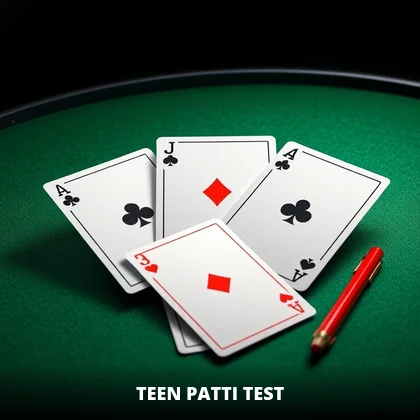
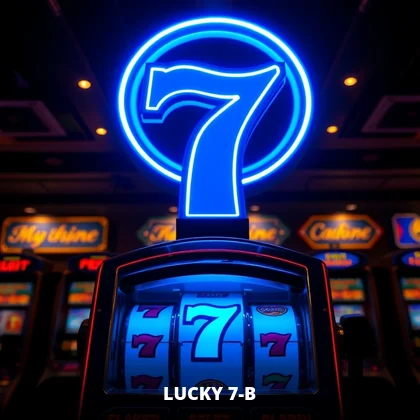
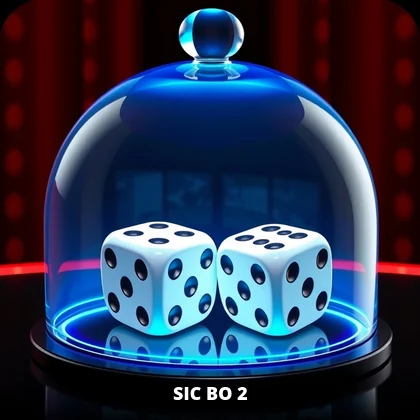

A twenty-minute OExch9 demo session plan
Most people open OExch9 demo, tap three things, get bored and leave. This order gets far more out of the the same twenty minutes.
- Open the account menu and find the statement, bet history, profit and loss and the password page, so you can name all four without hunting.
- Pick an in-play cricket match and watch the OExch9 prices through at least one full over without touching anything.
- Place one practice position and watch where exposure appears and how the available balance changes.
- Open one casino table and watch a few rounds come and go, roughly every twenty to thirty seconds.
- Open the statement again and read the lines your practice created, so the real one looks familiar later.
Twenty minutes, and you arrive at a funded OExch9 ID already knowing where everything is. The minute you spend on step three is the most useful of the lot, for reasons the next section explains.
Watching an OExch9 cricket market in demo, over by over
This is the thing OExch9 demo mode does better than any article can. Open an in-play T20 from the match list and simply watch for one full over before touching anything.
The main match prices refresh after almost every ball. Below them sits a longer OExch9 session list: runs in the next block of overs, total wickets, a particular batter's score. Bookmaker markets appear alongside the exchange ones and settle on their own. A boundary nudges the numbers, a wicket moves them sharply, and a dot ball barely shifts anything. Ten minutes of watching that happen in practice mode teaches the rhythm of an OExch9 match screen far faster than reading about it.
Watch with the televison on if you can. The OExch9 screen runs closer to the ground than the broadcast, which trails by several seconds, so you will see prices move before the ball appears on TV. Noticing that gap in demo saves real confusion later, when a price you meant to tap has already changed.
The OExch9 casino lobby in practice mode
OExch9 practice mode covers the casino lobby too, and the experience there differs from cricket in one clear way: the table sets the pace, not the match. A round comes back every twenty to thirty seconds, whether you are ready or not.
That pace is worth feeling with a practice balance. Over an hour a table deals a lot of rounds, and the OExch9 demo balance moves accordingly, much faster than it does during a cricket market that can sit still for an over. Players who try both sides in demo usually find out quickly which one suits them, and that is useful to know before any real money is involved.
Open a few different families while you are there: a Teen Patti variant, Andar Bahar, a roulette wheel and one of the Indian favourites like Worli Matka. Each OExch9 table streams live video, so it is also a fair test of how your phone and connection cope with the heaviest part of the site.
Practising in OExch9 demo with a phone or a laptop
The same Login with demo ID button works in Chrome, Safari, a laptop browser and the OExch9 app, and OExch9 practice mode looks slightly different on each.
On a laptop the sports list takes a left column, the match list sits in the centre and more of the price ladder fits on screen, so it is easier to follow several OExch9 markets at once. On a phone the same layout folds into tabs and a sports strip you swipe, and the account items move under one menu icon. If you plan to play mostly on your phone, spend your demo time on the phone, because that is the layout your thumbs need to learn.
When the OExch9 demo ID itself will not open
It is rare, and when it happens its diagnostic rather than a problem with any account.
- The button does nothing: a script blocker or privacy browser is stopping the reCAPTCHA check on the OExch9 card. Allow scripts for the address or use a plain browser.
- The page never loads at all: the OExch9 address is probably blocked on your network. Switch from wifi to mobile data, and ask the desk for the current address if both fail.
- It fails on every network and for friends too: short OExch9 maintenance, usually scheduled in the quiet hours before dawn. Waiting is the fix.
- Demo opens but the match list looks empty: you are probably looking during a genuinely quiet hour in the cricket calendar, and the OExch9 casino tab still works.
Showing someone OExch9 without sharing your own ID
Friends ask what the site looks like, usually mid-match. Handing over your phone signed in to your own OExch9 ID exposes your balance and history, and a login shared with someone else only ends in signed-out sessions.
Demo solves it. Sign out, or open a second browser, tap Login with demo ID and let them look around the OExch9 dashboard and casino lobby with pretend money. If they like it, send them the desk number from this site so they can request their own OExch9 ID in their own chat.
What happens to the practice balance when you leave OExch9 demo
Nothing is saved. When the practice session ends, the pretend balance, the positions you opened and the statement lines they created all disappear, and the next visit to OExch9 demo starts fresh.
That is deliberate. Demo has no username, so there is nothing to attach a record to, and no desk keeps track of practice play. It also means a good practice run proves nothing, and a bad one costs nothing, which is exactly the right frame of mind for learning the OExch9 layout.
Exposure in OExch9 demo mode, the number worth five minutes
If you study one thing in OExch9 practice mode, make it exposure. The dashboard shows two money figures once a position is open: the available balance you can still use, and exposure, which is money tied up in positions that have not settled.
On a real OExch9 ID, misreading those two figures produces more messages to the desk than anything except forgotten passwords. Players see the smaller number, assume money has gone missing, and write in a hurry. In demo you can watch the figures move apart when a position opens and come back together when the market settles, with nothing at stake. The lesson carries straight across to your funded OExch9 account.
The statement works the same way. Practice positions add their own lines while the session lasts, so reading a few of them in demo means the first real OExch9 statement you open will make sense immediately.
Reading the practice statement inside OExch9 demo
Most players skip the statement in demo, which is a pity, because it is the single screen that matters most on a real OExch9 ID. Open it after your first practice position settles and read the lines it created, since the OExch9 demo statement uses exactly the same columns as a funded one.
Each settled OExch9 market adds a line with the time, a short description and the amount applied to the balance. On a funded account the same screen also shows deposits credited by the desk and withdrawals when they are processed. Learning the layout here, with pretend numbers, means that the first time a real balance question comes up you already know which line to screenshot for the desk, and a question that could have taken twenty messages takes one.
Using the OExch9 demo button as a quick site check
A use few people think of, and it saves real time. Because the demo button needs no credentials, it tells you in five seconds which half of a problem you are dealing with.
If your OExch9 ID will not sign in, tap Login with demo ID. When demo opens, the OExch9 address is live, your network is fine, and the reCAPTCHA script is running. The fault is your username, your password or your account status, and it belongs in one message to the desk that says demo works.
When demo refuses as well, nothing about your OExch9 ID is in question. Switch from wifi to mobile data first, since a blocked address is the usual reason, and ask the desk for the current address only if both networks fail. The OExch9 login page covers the error messages for the other half.
Questions the OExch9 demo ID cannot answer
OExch9 demo mode is excellent at some questions and useless for others. Knowing which is which keeps expectations sensible.
| Question | Can OExch9 demo answer it? |
|---|---|
| Where is the account statement? | Yes, in the same place as a real account |
| How do live prices move during an over? | Yes, and this is its best feature |
| How does exposure appear on screen? | Yes, with nothing at stake |
| How fast are withdrawals? | No, because demo has no withdrawals |
| Is the desk quick to reply? | No, demo has no desk attached |
| What is the minimum deposit? | No, the desk sets that outside the site |
The three "no" rows are the ones that decide how good an OExch9 account feels day to day, and only a real account with a small first deposit and a small early withdrawal answers them.
Before a big match, tap OExch9 demo first
The demo button is most useful on the evening of a major fixture, for a reason that has nothing to do with practice. On an IPL night OExch9 is busy, the desk is answering a long queue, and a login failure feels like a crisis.
Tapping OExch9 demo answers the only question that matters in that moment: can this phone reach OExch9 right now? If demo opens, your credentials are the thing to check calmly. If it does not, no message to the desk will fix it faster than switching networks. Five seconds before the toss saves the twenty minutes people otherwise spend retyping a password they already knew was right.
Moving from the OExch9 demo ID to a real account
There is no conversion step, no upgrade button and no transfer of practice balance. When you decide to play properly, you request a real OExch9 ID from the desk exactly as if you had never opened demo.
The request is a short WhatsApp message with your name, your city and the username you want, followed by the opening deposit. The desk replies with your OExch9 ID, a temporary password and the working address, usually within fifteen minutes. The OExch9 register page goes through that chat message by message, and the OExch9 ID page explains the first sign-in.
Demo stays available afterwards. Regular OExch9 players still open it to check the site is reachable, to look at an unfamiliar casino table before playing it, or to show someone the layout without exposing their own account.
OExch9 demo ID myths, answered briefly
- "Demo winnings can be withdrawn if you ask the desk." They cannot; OExch9 practice balance has no money behind it.
- "Demo results predict how a real account will go." They do not, because nothing is at stake and behaviour changes with real money.
- "Using demo creates an OExch9 account." It does not; no username, record or history is created.
- "Demo has fewer tables than a real account." The same OExch9 lobby and markets open in practice mode.
- "Demo expires after the first visit." It does not expire, and anyone can reopen it from the card at any time.
Why OExch9 keeps a demo button on the sign-in card
Sportsbooks are not obliged to offer practice access, and plenty do not. OExch9 keeps the demo button on the card itself, directly under Login, which tells you who it is for: people who have reached the OExch9 address and have not decided anything yet.
For a newcomer it removes the two weakest reasons to open a funded account too early, not knowing what the OExch9 dashboard looks like and not wanting to ask the desk a beginner question. The demo ID is a tour of the whole site, freely given, with nothing recorded. When it stops answering your questions, that is the point where a real OExch9 ID starts to make sense.
OExch9 demo ID questions
Is the OExch9 demo ID free?
Yes. Tapping Login with demo ID on the OExch9 card opens practice mode at no cost. No username, password, deposit or desk contact is needed at any point, and nothing is charged afterwards. You can reopen the OExch9 demo as often as you like from any working address.
Can I withdraw money from an OExch9 demo ID?
No. The OExch9 demo balance is practice money with no real value, so it cannot be withdrawn, transferred or converted into a real account. To play with your own balance, request a real OExch9 ID from the desk on WhatsApp and make an opening deposit.
OExch9 demo ID and the GoExch9 searches around it
The OExch9 demo ID is practice access on the same sportsbook many people still call goexch9, goexch, GoExch 9 or go exchange 9, and the button appears on every working address.
Practice-side terms
- The demo button sits on https://goexch9.com, www.goexch9.com and newer OExch9 addresses, not on typed guesses such as goexch 9.com, go exchange 9 com, goexch9.in or goexch com.
- GoExch9 login, goexch login and GoExch9 com login need real credentials; demo does not.
- GoExch9 app login and the GoExch9 app download APK, also searched as GoExch9 com download, carry the same demo button inside the app.
Real-account terms
- A GoExch9 ID, the GoExch9 ID login, a GoExch9 new ID and GoExch9 sign up all start with the desk.
- A lost GoExch9 com login password is reset by the desk, while GoExch9 admin, GoExch9 com admin and GoExch9 admin login are desk accounts.
- The GoExch9 WhatsApp number and GoExch9 customer care number, +91 81097 11726, handle real balances and how to withdraw from GoExch9.
OExch9 practice login searches
- oexch9 demo id
- goexch9 demo id
- oexch9 demo login
- goexch9 demo
- goexch9 demo id kaise use kare
- oexch9 practice
- goexch9 free demo id